






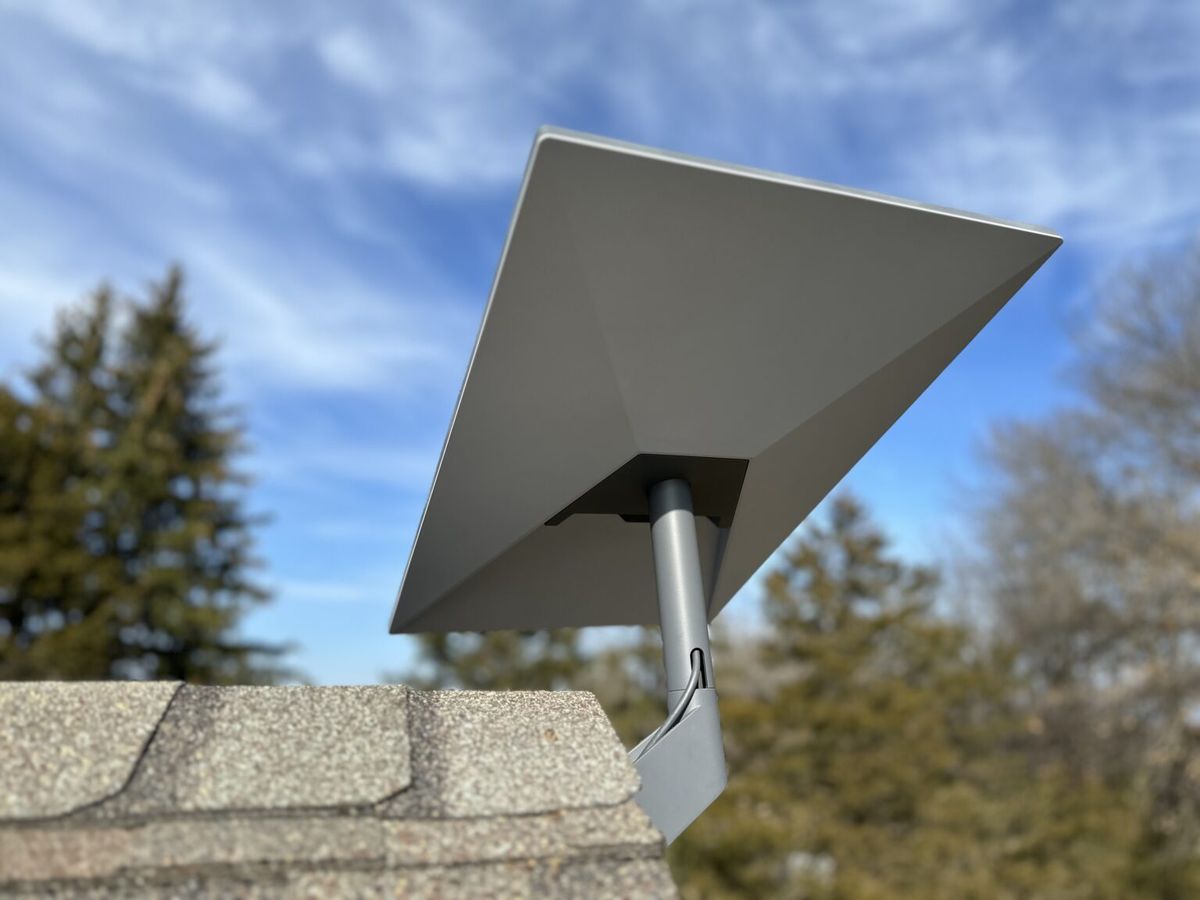
How to Set Up a Starlink Account in Kenya: Step-by-Step Guide
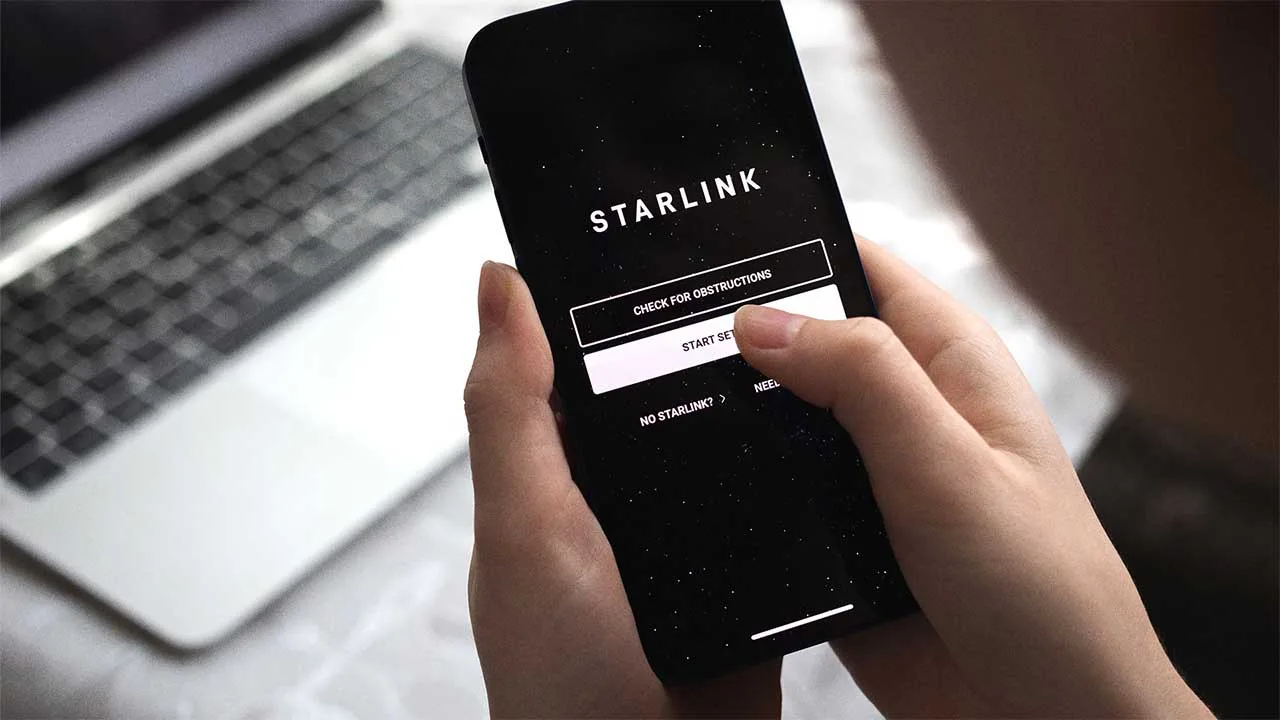
Satellite internet is changing the way Kenyans access online services, bringing fast and reliable connectivity to both cities and remote regions. Among the leading providers, Starlink by SpaceX stands out for its high-speed, low-latency satellite internet. However, before you can enjoy these benefits, creating a Starlink account is the first crucial step. This account acts as the central hub for managing your subscription, monitoring your network, and controlling your Starlink equipment.
Setting up a Starlink account in Kenya is straightforward, but knowing the process in detail ensures a smooth start. Users need to provide basic personal and payment information, select a service plan, and verify their location to guarantee accurate satellite coverage. Once the account is active, you can access the Starlink app or web portal to manage your subscription, monitor real-time internet performance, and troubleshoot minor connectivity issues without delay.
Having a properly configured Starlink account is essential for maximizing your internet experience in Kenya. It not only allows you to manage your service efficiently but also ensures that you can take advantage of updates, new features, and support resources as they become available. By following the step-by-step process, both new and experienced users can quickly get online, enjoy reliable satellite internet, and maintain seamless connectivity across their home, business, or mobile setups.
1. Understanding the Importance of a Starlink Account
A Starlink account is central to using Starlink satellite internet in Kenya. It serves as the hub for activating your service, managing subscriptions, monitoring performance, and accessing support. Without an account, Starlink devices cannot be registered or connected to the network, making it an essential first step for both residential and business users.
1.1 Why a Starlink Account is Required Before Activating Your Internet Service
-
Device Registration: Every Starlink kit must be linked to a registered account to connect to the satellite network.
-
Activation Control: The account ensures that only authorized users can activate and use the service.
-
Service Verification: Starlink uses the account to verify subscription status and eligibility for packages.
-
Security and Ownership: Linking hardware to an account helps prevent unauthorized use if the device is lost or moved.
A Starlink account is therefore essential for initiating service and ensuring secure, reliable access.
1.2 Managing Subscriptions, Billing, and Hardware
-
The account dashboard allows users to view and update subscription plans, including upgrades or changes in package type.
-
Billing information, such as payment methods, invoices, and payment history is easily accessible and manageable.
-
Users can track hardware status, including the registered Starlink kit, any additional devices, and warranty coverage.
-
Optional add-ons, priority data, or mobile plans can also be managed from the account interface.
This central management system simplifies financial and technical oversight of your Starlink service.
1.3 Monitoring Internet Performance and Network Settings
-
Through the Starlink account, users can monitor data usage, connection speeds, and uptime across their devices.
-
Network settings such as Wi-Fi names, passwords, and device permissions are configurable through the dashboard.
-
For multi-device setups or businesses, the account provides an overview of all active Starlink hardware in one place.
-
Performance metrics help identify issues, track efficiency, and optimize network reliability.
Monitoring through the account ensures users maintain optimal connectivity and effective network management.
1.4 Accessing Customer Support and Troubleshooting Tools
-
The account dashboard provides direct access to Starlink customer support, including ticket submission and live assistance.
-
Users can report hardware issues, request replacements, or troubleshoot network problems via the platform.
-
Step-by-step guides, FAQs, and diagnostic tools are integrated into the account interface for self-service solutions.
-
Businesses and advanced users benefit from remote support features, reducing downtime and improving operational efficiency.
A Starlink account acts as a gateway to both technical and customer support, ensuring users can resolve issues promptly.
Creating and maintaining a Starlink account is fundamental for anyone in Kenya who wants to use Starlink internet. It enables service activation, subscription, and hardware management, performance monitoring, and direct access to support tools. Whether for home use, remote offices, or large-scale business deployments, the account ensures that Starlink users have full control over their internet service, maintaining reliability, security, and convenience.
2. Requirements Before Creating a Starlink Account
Before you can create a Starlink account in Kenya, certain requirements must be met to ensure smooth registration and activation of your satellite internet service. Meeting these prerequisites guarantees that your account setup, subscription management, and device activation are completed efficiently without interruptions.
2.1 A Valid Email Address and Secure Password
-
Email Verification: A valid email address is required to register your Starlink account. It is used for verification, notifications, and account recovery.
-
Secure Password: Choose a strong password combining letters, numbers, and special characters to protect your account from unauthorized access.
-
Communication: Important alerts, billing information, and updates from Starlink are sent to your registered email.
A valid email and secure password ensure the account is both functional and safe.
2.2 Access to a Starlink Kit or Order Confirmation
-
Hardware Requirement: You must either have your Starlink kit delivered or have a confirmed order for activation.
-
Device Linking: The Starlink kit (dish, router, cables, and mounting base) must be associated with your account to start the service.
-
Verification: Starlink uses the kit information to verify ownership and register the device on the network.
Having the hardware ready ensures that account creation leads directly to service activation.
2.3 A Stable Internet Connection During Registration
-
Temporary Connection: A working internet connection—mobile data, broadband, or public Wi-Fi—is needed to access the Starlink website or app during account creation.
-
Smooth Setup: A stable connection ensures that the registration form, email verification, and payment processes complete without errors.
-
Device Configuration: Initial software updates or device linking may require online access during setup.
Even though Starlink itself provides internet later, an existing connection is essential during registration.
2.4 Payment Method for Subscription Activation and Hardware Purchase
-
Payment Options: Credit/debit cards or other accepted payment methods are required to pay for your subscription and any Starlink hardware.
-
Subscription Activation: The monthly plan is linked to your chosen payment method for continuous service.
-
Security: Ensure your payment method is secure and capable of handling recurring charges if opting for subscription-based services.
Having a payment method ready ensures smooth activation and uninterrupted internet service once your account is created.
To create a Starlink account in Kenya, you need a valid email, a secure password, access to a Starlink kit or order confirmation, a stable temporary internet connection, and a payment method. Meeting these requirements guarantees a seamless registration process, quick service activation, and secure management of your Starlink satellite internet. Proper preparation helps users enjoy fast, reliable connectivity with minimal setup challenges.
3. Creating a Starlink Account

Creating a Starlink account is the first step to activating and managing your satellite internet in Kenya. This account allows you to register your hardware, select packages, monitor performance, and access support. Following the proper registration steps ensures that your Starlink service is ready quickly and securely.
3.1 Visiting the Official Starlink Website
-
To start, go to the official Starlink website (starlink.com) from a browser on your phone, tablet, or computer.
-
The website provides access to account creation, subscription plans, and device registration.
-
Using the official website ensures you are interacting with secure and verified Starlink services, avoiding third-party scams or unauthorized resellers.
Visiting the official portal is essential for a safe and reliable registration process.
3.2 Entering Personal Information
-
Input personal details such as your full name, email address, and your location in Kenya.
-
The location information is critical for verifying service availability in your area and ensuring accurate satellite coverage.
-
Personal details are also used for billing, shipping of hardware, and technical support.
Providing correct information ensures accurate account setup and uninterrupted service activation.
3.3 Creating a Strong Password
-
Choose a secure password containing a mix of uppercase letters, lowercase letters, numbers, and special characters.
-
Avoid using easily guessable passwords like birthdays or common words.
-
A strong password protects your account from unauthorized access and secures sensitive billing and network data.
A secure password is vital for maintaining the privacy and safety of your Starlink account.
3.4 Confirming Your Email Address
-
After entering your details, Starlink sends a verification link to your registered email.
-
Open the email and click the link to confirm ownership of the email address.
-
This step activates your account, allowing full access to subscription management, device registration, and performance monitoring.
Email confirmation is a critical security step that ensures only authorized users can access and manage the Starlink account.
Creating a Starlink account in Kenya involves visiting the official website, entering personal information, setting a secure password, and verifying your email. Completing these steps establishes the foundation for activating your Starlink service, managing subscriptions and hardware, and accessing technical support. Following the process carefully ensures a secure, reliable, and fully functional satellite internet experience from the moment your account is active.
4. Ordering and Linking Your Starlink Hardware
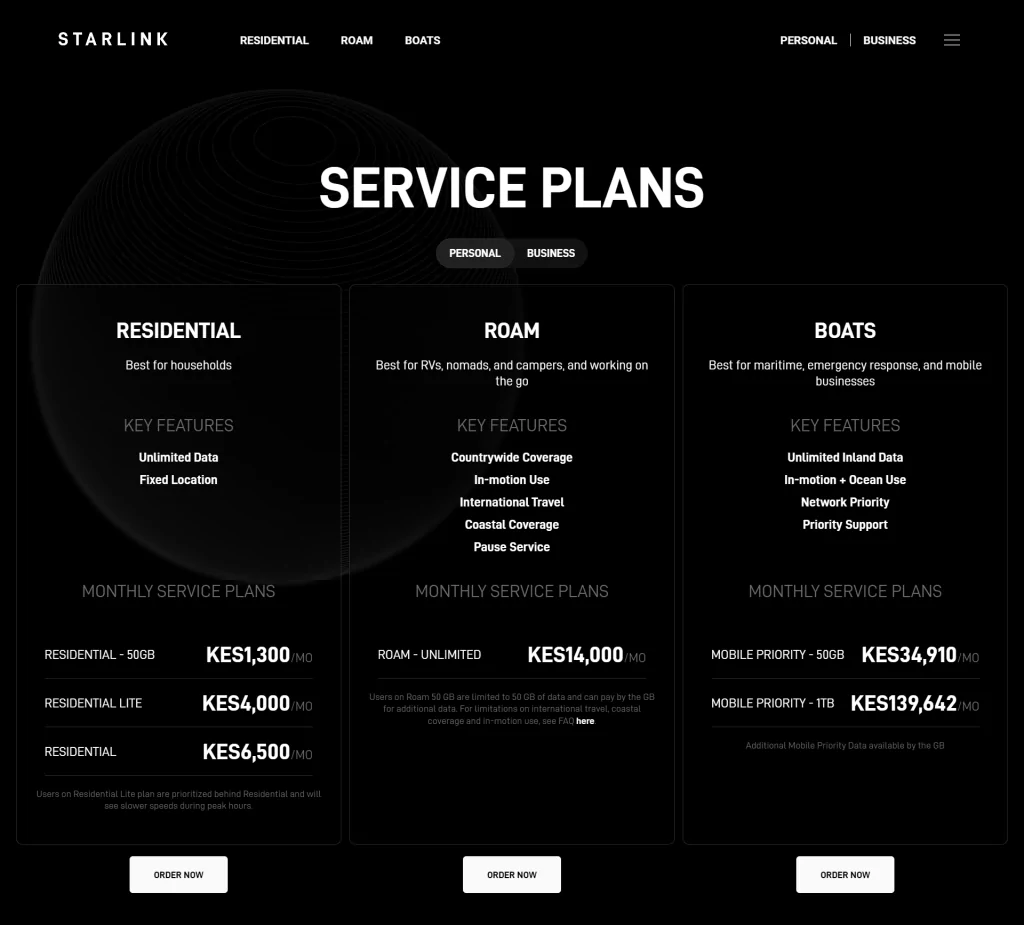
Once you have created a Starlink account in Kenya, the next step is to order and link your hardware. This ensures that your satellite dish and router are correctly registered to your account, allowing you to activate your internet service seamlessly.
4.1 Selecting the Appropriate Starlink Package
-
Choose a package that fits your internet usage, number of devices, and location.
-
Options include Residential Lite, Standard, Mini, Business, Roam, and Mobile Priority packages.
-
Consider speed requirements, data limits, and whether you need priority bandwidth for critical operations.
Selecting the right package ensures your Starlink service meets your performance expectations.
4.2 Entering Your Delivery Address
-
Provide a precise delivery address in Kenya for your Starlink kit.
-
Ensure the address is accessible to couriers and includes details like postal codes or landmarks for rural areas.
-
Accurate delivery information avoids shipping delays or lost packages.
Correct address entry ensures timely and smooth hardware delivery.
4.3 Linking the Purchased Starlink Kit to Your Account
-
Once the hardware arrives, register your Starlink kit using the account dashboard.
-
Input the kit’s serial number or activation code to link it to your account.
-
Linking confirms ownership and allows the system to recognize your device for activation, updates, and support.
Linking the hardware is crucial for service activation and access to network management features.
4.4 Understanding the Components Included in the Starlink Kit
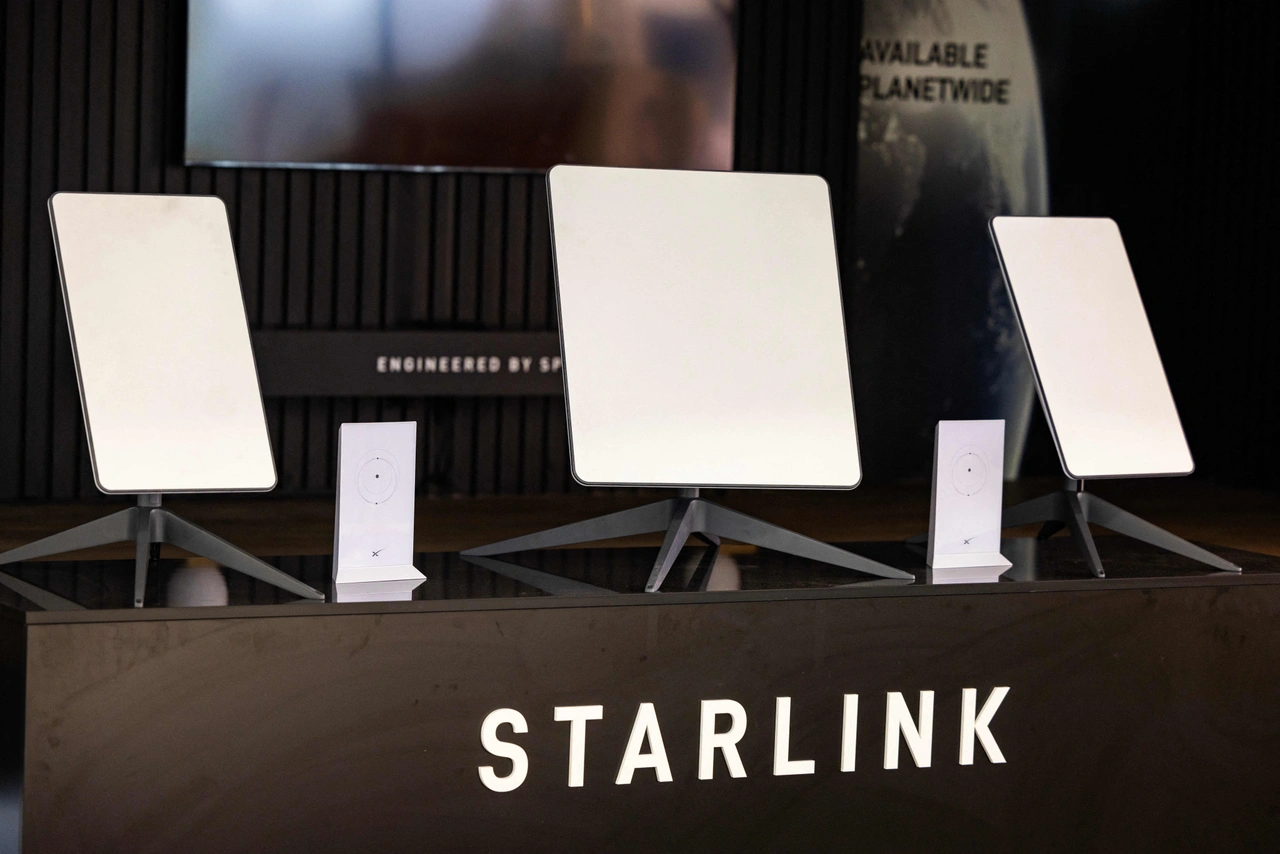
A standard Starlink kit typically includes:
-
Satellite Dish (Dish Antenna): Receives signals from the LEO satellite constellation.
-
Wi-Fi Router: Provides internet access to devices within your home or office.
-
Mounting Base: Secures the dish on rooftops, poles, or elevated surfaces.
-
Cables and Power Supply: Connect the dish to the router and provide electricity.
Knowing what’s included ensures that you can properly set up and maintain the system for optimal performance.
Ordering and linking your Starlink hardware in Kenya involves choosing the right package, providing a delivery address, registering your kit, and understanding the included components. Completing these steps correctly ensures that your Starlink device is ready for activation, allowing you to enjoy high-speed, low-latency internet anywhere in Kenya, whether in urban areas or remote locations.
5. Activating Your Starlink Subscription

After receiving your Starlink hardware in Kenya and linking it to your account, the next step is to activate your internet subscription. This process ensures your service is live and ready for use, allowing you to enjoy reliable satellite internet.
5.1 Logging Into Your Account Dashboard
-
Access your Starlink account dashboard using your registered email and password.
-
The dashboard provides a centralized interface to manage subscriptions, link devices, and monitor network performance.
-
Logging in is the first step to confirming that your hardware is correctly linked and ready for activation.
A secure login ensures that only authorized users can activate and manage the service.
5.2 Adding or Confirming Payment Details
-
Enter or verify your payment method to cover the monthly subscription.
-
Starlink accepts credit/debit cards and other approved payment options.
-
Ensure that billing information is accurate to avoid service interruptions once the subscription is activated.
Confirming payment details ensures smooth recurring billing for uninterrupted internet access.
5.3 Activating the Internet Service
-
Use the account portal to activate your selected Starlink package.
-
Activation confirms the system recognizes your hardware, subscription plan, and location.
-
Once activated, the dish and router communicate with the Starlink satellite network to establish connectivity.
Activating the service officially turns on your Starlink internet, allowing you to begin using it immediately.
5.4 Monitoring Activation Status and Initial Connectivity
-
The dashboard and Starlink app display real-time activation progress and connection status.
-
Users can check signal strength, latency, and initial speed tests during setup.
-
Any alerts or issues detected during the first connection can be addressed via the app or support tools.
Monitoring ensures that your Starlink system is properly aligned and performing optimally from the start.
Activating your Starlink subscription in Kenya involves logging into your account, confirming payment details, initiating service activation, and monitoring initial connectivity. Completing these steps carefully ensures that your satellite internet service is fully operational, secure, and optimized for performance. With proper activation, users can enjoy high-speed, low-latency connectivity across homes, businesses, and remote locations.
6. Using the Starlink App with Your Account
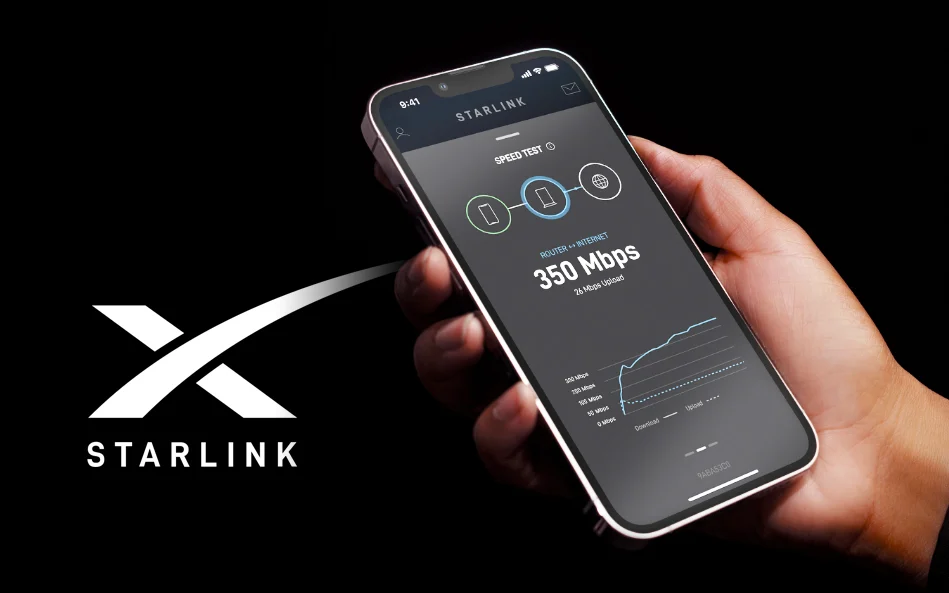
The Starlink App is an essential tool for managing your satellite internet service in Kenya. When paired with your Starlink account, it provides a convenient interface to monitor network performance, manage devices, and troubleshoot issues—all from your smartphone or tablet.
6.1 Downloading the Official Starlink App
-
The app is available on the Google Play Store for Android devices and the Apple App Store for iOS devices.
-
Ensure you download the official Starlink App to avoid third-party or unofficial versions.
-
Installing the app gives you full access to account-linked features, including device management and performance monitoring.
Downloading the official app guarantees a secure and reliable platform to control your Starlink service.
6.2 Logging In Using Your Account Credentials
-
Open the app and log in with the email and password used to create your Starlink account.
-
Logging in links the app to your registered Starlink hardware, enabling real-time monitoring and configuration.
-
Credentials must match your account to ensure proper access to all dashboard features.
Logging in ensures seamless integration between your account and the app, allowing full service management.
6.3 Managing Wi-Fi Settings, Network Monitoring, and Device Connections
-
The app allows you to change your Wi-Fi name (SSID) and password, ensuring network security.
-
You can add, remove, or prioritize devices, which is especially useful for homes or businesses with multiple users.
-
Network monitoring tools in the app provide insights into connection stability, uptime, and device activity.
Managing these settings through the app ensures efficient network performance and optimal device access.
6.4 Performing Speed Tests and Checking Signal Strength
-
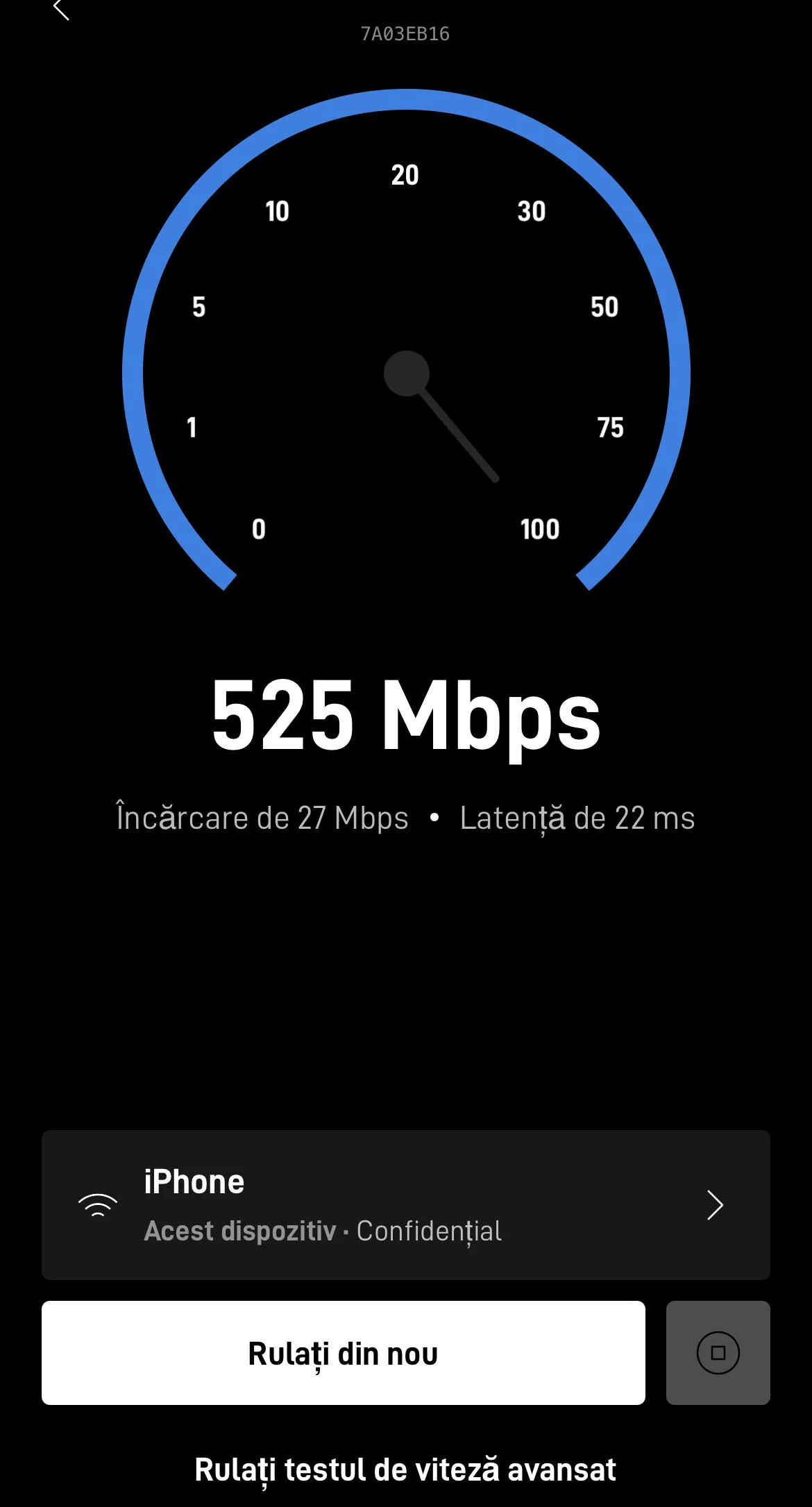
The app includes real-time speed tests to measure download, upload, and latency performance.
-
Users can check signal strength and dish alignment to optimize connectivity.
-
Regular testing helps identify potential network issues and ensures your Starlink connection delivers consistent high-speed internet.
Monitoring via the app ensures that your Starlink service remains fast, stable, and reliable.
Using the Starlink App with your account in Kenya provides a comprehensive platform for network management, monitoring, and optimization. From downloading and logging in to configuring Wi-Fi settings, tracking devices, and running speed tests, the app empowers users to fully control their Starlink internet experience. Proper use of the app ensures that homes, offices, and remote installations maintain high-speed, low-latency connectivity, maximizing the benefits of satellite internet across Kenya.
7. Managing Your Starlink Account

A Starlink account is more than just a login—it’s the central hub for controlling every aspect of your satellite internet service in Kenya. Proper account management ensures seamless connectivity, accurate billing, and quick access to support, whether for home use or business operations.
7.1 Updating Billing Information and Subscription Plans
-
Through your account dashboard, you can add, remove, or update payment methods to ensure uninterrupted service.
-
Subscription plans can be upgraded, downgraded, or modified based on changing internet needs.
-
Alerts and reminders are available for upcoming payments, plan renewals, and priority data options.
Keeping billing information current and adjusting plans ensures continuous access and flexibility for your Starlink service.
7.2 Monitoring Data Usage and Internet Performance
-
The account dashboard allows you to track monthly data consumption, especially for plans with prioritized or capped data.
-
Performance metrics such as download/upload speeds, latency, and uptime are easily accessible.
-
Users can identify patterns of heavy usage, troubleshoot slowdowns, and optimize network efficiency.
Monitoring usage and performance ensures that your Starlink connection remains reliable and efficient, avoiding unnecessary interruptions.
7.3 Accessing Support Tickets and Troubleshooting Guides
-
Users can submit support tickets directly to Starlink from the account dashboard.
-
A library of troubleshooting guides, FAQs, and diagnostic tools is available for self-service solutions.
-
For businesses or critical setups, tickets can prioritize urgent issues to minimize downtime.
Quick access to support ensures fast resolution of technical problems and improves overall network reliability.
7.4 Adjusting Service Settings for Residential or Business Needs
-
Residential users can manage Wi-Fi settings, connected devices, and parental controls.
-
Business accounts may configure priority bandwidth, multiple devices, and network analytics for office or remote deployments.
-
The account interface allows tailoring of settings to match specific usage scenarios, ensuring optimal performance for each environment.
Customizing service settings guarantees that Starlink internet is aligned with the unique demands of your home or business.
Managing your Starlink account in Kenya involves updating billing and subscriptions, monitoring data and performance, accessing support, and configuring service settings. By actively overseeing these elements, users maintain consistent, high-speed, low-latency internet, while ensuring flexibility and security for both residential and business applications. Proper account management maximizes the value and efficiency of Starlink satellite internet.
8. Common Issues When Setting Up a Starlink Account

While creating and managing a Starlink account in Kenya is generally straightforward, users may encounter a few common challenges. Being aware of these issues and how to resolve them ensures a smoother setup process and faster access to satellite internet.
8.1 Email Verification Delays or Incorrect Email Addresses
-
Sometimes, the verification email may take a few minutes to arrive due to network delays or email provider filters.
-
Entering an incorrect email address during registration prevents receiving the verification link, halting account activation.
-
Solutions: Check the spam or junk folder, ensure your email address is entered correctly, and request a new verification link if necessary.
Timely email verification is essential to activate your Starlink account and link your hardware.
8.2 Payment Method Issues During Subscription Activation
-
Problems may occur if the payment card has expired, lacks sufficient funds, or is unsupported.
-
Some international transactions may also be blocked by banks or require pre-authorization.
-
Solutions: Use a valid card accepted by Starlink, check with your bank for international payment approvals, or update payment details in the account dashboard.
Resolving payment issues ensures smooth activation and uninterrupted service.
8.3 Problems Linking Starlink Hardware to the Account
-
Users may face difficulties if the serial number or activation code is entered incorrectly, or if the kit is not yet registered in Starlink’s system.
-
Hardware that has been previously linked to another account may also cause conflicts.
-
Solutions: Double-check the serial number, ensure the kit is new or unlinked, and contact Starlink support if the issue persists.
Properly linking hardware is crucial for activating the internet service and accessing network features.
8.4 Resolving Login or Password Recovery Problems
-
Users may forget their passwords or encounter login errors due to incorrect credentials.
-
Attempting multiple failed logins may temporarily lock the account for security reasons.
-
Solutions: Use the “Forgot Password” feature to reset your credentials, ensure the email used is the one registered, and verify internet connectivity during login attempts.
Addressing login issues quickly allows users to access their accounts and manage services without delays.
Common issues when setting up a Starlink account in Kenya include email verification delays, payment method problems, difficulties linking hardware, and login or password recovery challenges. By understanding these potential obstacles and following recommended solutions, users can ensure a smooth account setup, successful subscription activation, and reliable satellite internet connectivity. Proper preparation and careful troubleshooting minimize delays and enhance the overall Starlink experience.
9. FAQs on Setting Up a Starlink Account in Kenya
Setting up a Starlink account is essential for activating and managing your satellite internet service in Kenya. The process can raise questions, so here’s a detailed breakdown of the most common FAQs with explanations and key points
9.1 Do I Need a Starlink Account Before Buying Hardware?
Before purchasing a Starlink kit, you must create an account.
Why this matters:
-
The account acts as a central hub for your service.
-
It allows you to select your package, enter billing details, and provide a delivery address.
-
Without an account, you cannot place an order or activate the service.
Key Points:
-
Essential for hardware orders and subscription management.
-
Required for linking your Starlink kit upon delivery.
Creating an account is the first step to accessing Starlink in Kenya.
9.2 Can I Create a Starlink Account Before Installing the Hardware?
Yes, account creation can be done before the kit arrives.
Why this helps:
-
Prepares your account for smooth activation once hardware is delivered.
-
Let's you enter payment information, select a plan, and be ready to link the kit immediately.
Key Points:
-
Reduces setup delays.
-
Ensures your account dashboard is ready for hardware management.
Early registration streamlines the overall Starlink activation process.
9.3 Is Starlink Account Setup Free?
Creating an account does not incur a fee.
Details:
-
Only hardware purchase/rental and subscription fees are charged.
-
Users can register without a financial commitment.
Key Points:
-
Account creation is free of charge.
-
Charges begin only after hardware purchase or plan activation.
The free account lets users prepare and manage services without upfront costs.
9.4 Can Businesses Create Starlink Accounts in Kenya?
Yes, both individuals and businesses can register.
Why it matters for businesses:
-
Business accounts provide priority bandwidth, advanced device management, and multi-location monitoring.
-
Ideal for SMEs, offices, and enterprise setups needing reliable connectivity.
Key Points:
-
Supports both personal and professional use.
-
Advanced features for business continuity and network control.
Starlink accounts are flexible for both personal and business applications.
9.5 What Happens If I Forget My Starlink Password?
Password recovery is simple through the login page.
How it works:
-
Use the “Forgot Password” option.
-
A verification link is sent to your registered email.
-
You can create a new, secure password to regain access.
Key Points:
-
Maintains security while providing easy access to recovery.
-
Ensures uninterrupted account management.
Password recovery is straightforward and secure.
9.6 Can I Manage Multiple Starlink Devices from One Account?
Yes, a single account can manage multiple devices.
How it works:
-
Monitor each device individually.
-
Adjust Wi-Fi settings and connected devices per location.
-
Useful for homes, offices, or multi-site business setups.
Key Points:
-
Centralized control of multiple Starlink kits.
-
Simplifies network management across locations.: One account is sufficient for managing all Starlink devices efficiently.
9.7 Is the Starlink Account Linked to the Starlink App?
Yes, the same credentials work for both web and app access.
Why this is important:
-
Seamless management of Wi-Fi, devices, and subscriptions.
-
Perform speed tests, check signal strength, and troubleshoot remotely.
Key Points:
-
App and web portal are fully integrated.
-
Provides convenience for remote monitoring and control.
Linking the account with the app ensures full network visibility and control.
9.8 Can I Cancel or Pause My Subscription Through the Account?
Yes, subscriptions can be paused or canceled via the dashboard.
Why this helps:
-
Useful for temporary relocations or seasonal use.
-
Helps manage costs without losing account access.
Key Points:
-
Flexible subscription management.
-
Control costs while keeping service ready for later use.
The account dashboard allows users to control their subscription efficiently.
9.9 How Long Does It Take to Activate a Starlink Account?
-
Account creation is instant.
-
Service activation depends on hardware setup and line-of-sight positioning.
Key Points:
-
Linking the kit to your account starts the activation process.
-
Proper dish alignment ensures optimal connectivity.
Activation is quick once the hardware is connected and configured.
9.10 Is Starlink Available Throughout Kenya?
-
Starlink provides coverage across urban, rural, and remote areas.
-
Satellite technology ensures connectivity where fiber or mobile broadband is unavailable.
Key Points:
-
Coverage may vary slightly due to obstructions and dish placement.
-
Provides consistent service even in remote locations.
Starlink enables nationwide access to high-speed satellite internet in Kenya.
Creating a Starlink account in Kenya is the first and most crucial step in activating satellite internet. The account allows users to manage hardware, subscriptions, devices, and the Starlink app, while providing flexibility for personal and business needs. Proper setup ensures smooth activation, easy troubleshooting, and reliable connectivity across all regions of Kenya.
Setting Up Your Starlink Account in Kenya – Your Gateway to Reliable Internet
Setting up a Starlink account in Kenya is the essential first step toward accessing dependable satellite internet. The account serves as a central hub for managing your subscription, monitoring network performance, and controlling all Starlink equipment from a single platform. Proper account setup ensures that users can fully leverage the service’s features and maintain smooth, uninterrupted connectivity across Kenya.
Using the Starlink app alongside your account makes managing your service intuitive and efficient. From installation guidance to real-time performance monitoring and troubleshooting, the combination of the app and account access allows both residential and business users to optimize their internet experience. This ensures fast, reliable connectivity whether you are working from home, running a business, or operating in remote locations.
For more information on setting up your Starlink account and exploring available services in Kenya, visit Starlite Internet Kenya With the right account configuration and installation, Starlink delivers a high-performance satellite internet solution that meets the diverse needs of users throughout the country.
