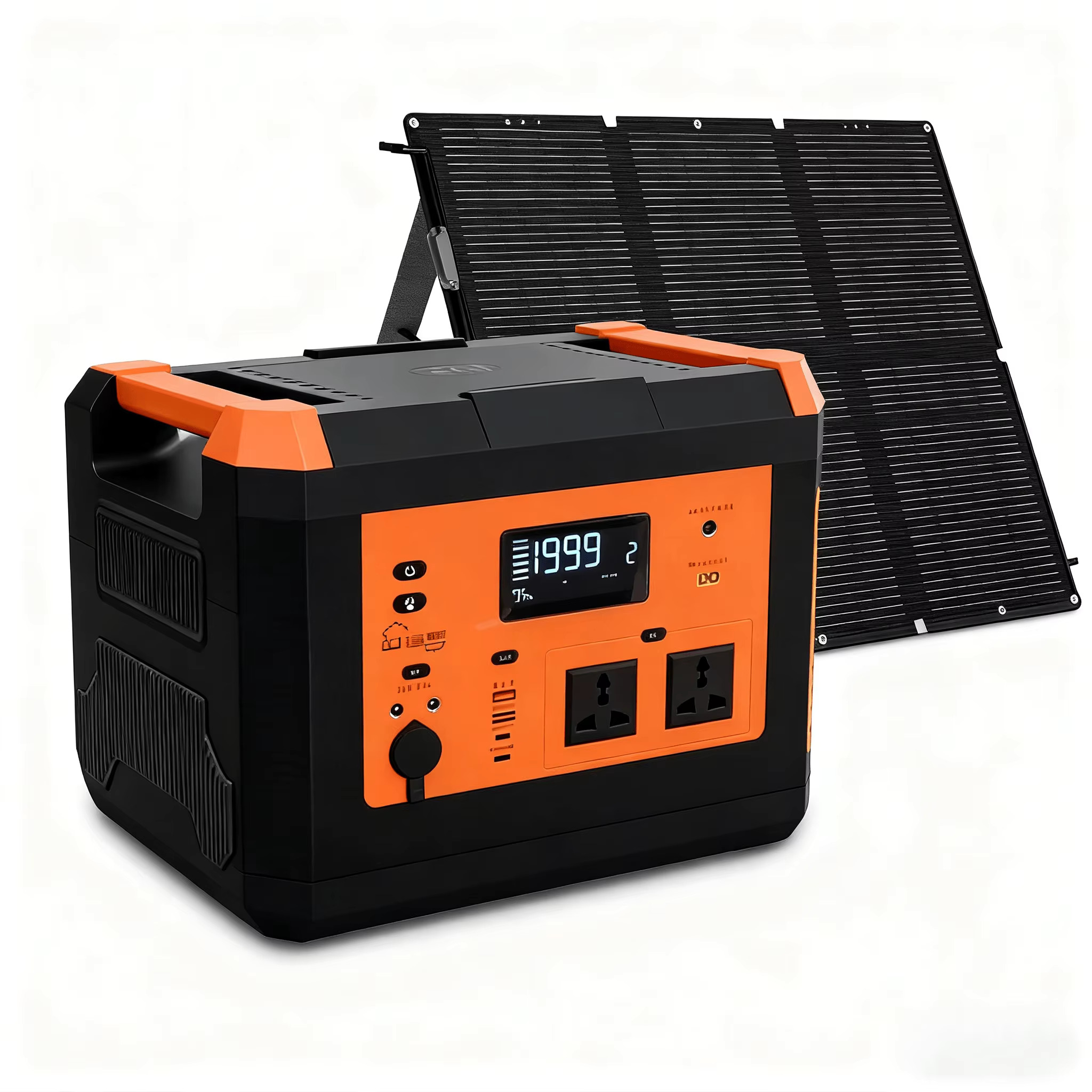
Efficient Power Backup System for Starlink Enterprise Kit Kenya – Ultra-Detailed UPS, Battery & Solar Backup Guide 2026 The Starlink Enterprise Kit is designed for high-performance internet connectivity in demanding business, industrial, and remote deployment environments. However, because...
The Starlink Enterprise Kit is designed for high-performance internet connectivity in demanding business, industrial, and remote deployment environments. However, because the Enterprise Kit is intended for mission-critical internet operations, a reliable power backup system is essential to prevent downtime during blackouts, unstable utility power, generator switching, or remote off-grid operation.
Official Starlink Enterprise specifications show average power consumption of approximately 75–100W for the Enterprise Kit.This means the Starlink Enterprise system requires carefully planned:
UPS backup
inverter systems
lithium batteries
solar backup
surge protection
power regulation
automatic failover systems
to ensure uninterrupted connectivity.
An efficient backup power system for the Starlink Enterprise Kit is especially important for:
offices
hotels
lodges
NGOs
schools
hospitals
construction sites
remote field offices
surveillance systems
enterprise networking environments
where internet downtime can interrupt operations, cloud systems, security systems, communications, and business continuity.
| Component | Power Consumption |
|---|---|
| Starlink Enterprise Kit | 75–100W average |
| Startup / peak load | Higher temporary surge |
| Router and networking devices | 10–80W+ depending on setup |
| PoE switches and access points | 20–150W+ |
| Enterprise firewall/router | 15–100W+ |
| Full office networking stack | 150–500W+ |
Official Starlink Enterprise specifications list average power consumption at 75–100W.
| Runtime Duration | Estimated Energy Use |
|---|---|
| 1 hour | 75–100Wh |
| 4 hours | 300–400Wh |
| 8 hours | 600–800Wh |
| 12 hours | 900–1200Wh |
| 24 hours | 1.8–2.4kWh |
Energy estimates based on Starlink Enterprise average consumption specifications of approximately 75–100W.
| Power Problem | Impact on Starlink |
|---|---|
| Blackouts | Internet downtime |
| Voltage fluctuation | Equipment stress |
| Generator switching delay | Router reboot |
| Rural unstable power | Frequent disconnections |
| Lightning surges | Hardware damage risk |
| Long outages | Complete network shutdown |
| Business Type | Why Backup Is Critical |
|---|---|
| Hotels and lodges | Guest internet continuity |
| Offices | Cloud and communication uptime |
| NGOs | Remote coordination |
| Construction sites | Field connectivity |
| Schools | Online learning continuity |
| Hospitals and clinics | Telemedicine and communication |
| Surveillance systems | Security uptime |
| Remote operations | Operational continuity |
Because the Starlink Enterprise Kit is designed for continuous professional connectivity, a properly sized backup power system is essential for stable and uninterrupted operation.
| UPS Type | Suitability |
|---|---|
| Offline UPS | Basic protection only |
| Line-Interactive UPS | Good for small offices |
| Pure Sine Wave UPS | Excellent |
| Online Double Conversion UPS | Best for enterprise environments |
| Rackmount UPS | Excellent for server/network rooms |
| Equipment Load | Recommended UPS |
|---|---|
| Enterprise Kit only | 1000VA–1500VA |
| Enterprise Kit + router | 1500VA–2000VA |
| Small office networking | 2000VA–3000VA |
| Enterprise office stack | 3000VA–6000VA |
| Large enterprise deployment | 6kVA+ |
| UPS Size | Approximate Runtime for Enterprise Kit |
|---|---|
| 1000VA | 20–45 minutes |
| 1500VA | 30–60 minutes |
| 2000VA | 45–90 minutes |
| 3000VA | 1–3 hours |
| External battery UPS | Several hours |
Reddit discussions note that many standard UPS systems provide roughly 30–60 minutes runtime for Starlink depending on UPS size and load.
| Feature | Benefit |
|---|---|
| Pure sine wave output | Cleaner power delivery |
| AVR voltage regulation | Better equipment protection |
| Surge protection | Reduces lightning damage risk |
| LCD monitoring | Easier management |
| External battery support | Longer runtime |
| Rackmount support | Cleaner enterprise installation |
For most business users, a pure sine wave UPS with AVR and surge protection provides the best short-term backup protection for the Starlink Enterprise Kit.
| Backup Type | Best Use |
|---|---|
| UPS only | Short outages |
| Inverter + battery | Medium to long outages |
| Solar + lithium system | Off-grid and long outages |
| Generator backup | Large facilities |
| Hybrid solar backup | Best long-term solution |
| Battery Size | Estimated Enterprise Runtime |
|---|---|
| 500Wh | 4–6 hours |
| 1kWh | 8–12 hours |
| 2kWh | 16–24 hours |
| 5kWh | 2–4 days depending on load |
| 10kWh+ | Large enterprise backup |
| Inverter Type | Suitability |
|---|---|
| Modified sine wave | Not recommended |
| Pure sine wave inverter | Excellent |
| Hybrid inverter | Excellent |
| Rackmount inverter | Excellent for enterprise |
| Solar hybrid inverter | Best for long-term backup |
| Power Station Type | Suitability |
|---|---|
| Small portable power station | Temporary use |
| Mid-size lithium power station | Excellent for SMEs |
| Large power station | Excellent for enterprise |
| Solar-compatible power station | Excellent for remote areas |
Lithium battery systems paired with pure sine wave inverters provide far longer runtime and better long-term reliability than standard UPS systems alone.
| Solar System Size | Best Use |
|---|---|
| 300W solar setup | Light Starlink use |
| 500W solar setup | Enterprise Kit + router |
| 1kW solar system | Small office setup |
| 2kW+ solar system | Large networking environments |
| 5kW+ hybrid solar system | Full enterprise backup |
| Component | Purpose |
|---|---|
| Solar panels | Energy generation |
| Lithium batteries | Energy storage |
| Hybrid inverter | Power conversion |
| MPPT charge controller | Charging optimization |
| Surge protection | Equipment protection |
| Monitoring system | System visibility |
| Environment | Recommended Setup |
|---|---|
| Rural office | Solar + lithium |
| Construction site | Portable solar backup |
| Safari lodge | Hybrid solar system |
| NGO field office | Solar + inverter |
| Remote surveillance site | Solar + lithium |
| Telecom relay point | Hybrid enterprise system |
| Benefit | Why It Matters |
|---|---|
| Lower generator fuel costs | Reduced operational expenses |
| Silent operation | Better work environment |
| Long runtime | Better uptime |
| Remote deployment support | Excellent for rural Kenya |
| Cleaner power delivery | Better hardware protection |
Solar backup systems are ideal for Kenyan remote deployments where grid reliability is poor or generator fuel costs are high.
| Protection Type | Importance |
|---|---|
| Surge protector | Critical |
| AVR voltage regulation | Critical |
| Lightning protection | Critical |
| Grounding system | Critical |
| Pure sine wave output | Highly recommended |
| Dedicated circuit breaker | Recommended |
| Risk | Impact |
|---|---|
| Lightning | Hardware damage |
| Voltage spikes | Power supply failure |
| Brownouts | System instability |
| Generator fluctuation | Router reboot |
| Poor grounding | Electrical hazards |
| Safety Practice | Benefit |
|---|---|
| Proper grounding | Safer installation |
| Use qualified installers | Reduced risk |
| Dedicated power line | Better reliability |
| Weatherproof electrical setup | Outdoor safety |
| Battery ventilation | Heat reduction |
| Maintenance Action | Frequency |
|---|---|
| Test UPS runtime | Monthly |
| Inspect batteries | Every few months |
| Check grounding | Regularly |
| Inspect solar connections | Quarterly |
| Test automatic failover | Monthly |
A backup system is only reliable if proper surge protection, grounding, and maintenance practices are followed.
| Component | Recommendation |
|---|---|
| UPS | 1500VA–2000VA |
| Battery | Internal UPS battery |
| Runtime | 30–60 minutes |
| Best Use | Small offices |
| Component | Recommendation |
|---|---|
| UPS | 3000VA online UPS |
| Battery | External lithium bank |
| Runtime | 4–12 hours |
| Best Use | Hotels, NGOs, offices |
| Component | Recommendation |
|---|---|
| Solar array | 1–5kW |
| Lithium battery | 5–20kWh |
| Hybrid inverter | Pure sine wave |
| Runtime | Long-term/off-grid |
| Best Use | Remote enterprise deployments |
| Deployment Type | Recommended Backup |
|---|---|
| Construction trailer | Portable lithium station |
| NGO field vehicle | DC inverter + lithium |
| Emergency response | Mobile power station |
| Temporary office | Hybrid portable backup |
The best backup system depends on runtime requirements, power stability, mobility needs, and whether the site is grid-connected or off-grid.
When deploying the Starlink Enterprise Kit, many users focus only on internet speeds and forget that power reliability is equally important. Even the best Starlink installation can become unstable if the UPS is undersized, the inverter produces poor-quality power, the batteries are too small, or the surge protection is inadequate.
This is why buying from Starlite Internet Kenya is a better choice. Starlite helps customers properly size backup systems based on:
Starlink power consumption
office networking load
battery runtime requirements
generator integration
solar sizing
remote deployment conditions
power stability
long-term operational needs
Starlite Internet Kenya also supports customers with:
UPS recommendations
inverter sizing
lithium battery planning
solar backup design
surge protection
grounding guidance
enterprise networking support
Starlink installation planning
This is especially important for Kenyan businesses, lodges, NGOs, schools, construction sites, hospitals, and rural offices where unstable electricity can interrupt critical operations.
Because internet downtime during blackouts or unstable power can interrupt business operations, communication, and cloud services.
Official specifications list average power consumption around 75–100W.
For short outages, yes. For long outages, a battery inverter or solar backup system is better.
Most Enterprise deployments work best with at least a 1000VA–3000VA pure sine wave UPS, depending on networking load.
Yes. Pure sine wave systems provide cleaner and safer power for networking equipment.
Yes. Solar + lithium battery systems work very well for Starlink Enterprise deployments.
Runtime depends on battery size. A 1kWh battery can often run the Enterprise Kit for approximately 8–12 hours depending on total load.
Yes. Surge protection and grounding are highly recommended, especially in areas prone to lightning or unstable power.
Yes, especially for temporary deployments, field offices, and mobile enterprise installations.
Yes, especially for large offices, hotels, hospitals, and long-duration outages.
Solar + lithium battery + hybrid inverter systems are usually the best long-term option.
From Starlite Internet Kenya for UPS systems, lithium batteries, solar backup design, surge protection, and professional Starlink deployment support.
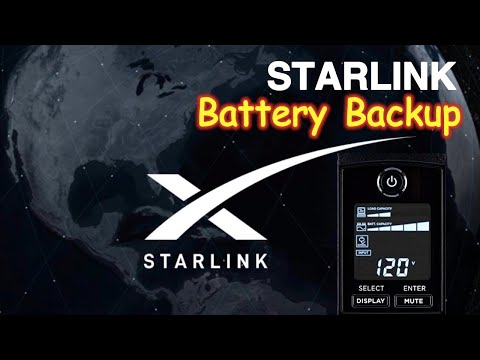
The video above demonstrates how an efficient power backup system helps keep the Starlink Enterprise Kit online during blackouts, unstable utility power, generator switching, and off-grid operation. It explains why UPS systems, lithium batteries, inverters, and solar backup solutions are important for enterprise-grade Starlink deployments.
It also highlights key backup planning considerations such as power consumption sizing, runtime estimation, surge protection, battery capacity, inverter selection, and safe electrical installation. These details matter because undersized or poor-quality backup systems can cause Starlink instability, router reboots, networking interruptions, and hardware damage.
For Kenyan users, this video is especially useful for planning Starlink Enterprise deployments in offices, lodges, schools, NGOs, construction sites, hospitals, remote compounds, and other mission-critical environments where uninterrupted internet connectivity is essential.
An efficient power backup system for the Starlink Enterprise Kit is essential for maintaining stable and uninterrupted internet connectivity in professional and mission-critical environments.
A properly designed backup system improves:
internet uptime
power stability
hardware protection
operational continuity
surge protection
off-grid capability
long-term reliability
enterprise network stability
For UPS systems, lithium batteries, inverter solutions, solar backup systems, surge protection, and professional Starlink Enterprise deployment support, visit Starlite Internet Kenya and let Starlite Internet Kenya help you build a reliable enterprise-grade Starlink power solution anywhere in Kenya.
Hello! How can we help you today?
Start Chat