Unboxing Starlink Flat High Performance in Kenya: Everything You Need to Know
Unboxing a Starlink Flat High Performance kit marks the exciting beginning of setting up high-speed satellite internet in Kenya. Tailored for users with demanding connectivity needs—whether for remote work, streaming, business operations, or large households—this kit combines advanced hardware with priority service features to ensure optimal performance. Understanding each component and its purpose is key to a successful setup and a seamless internet experience.
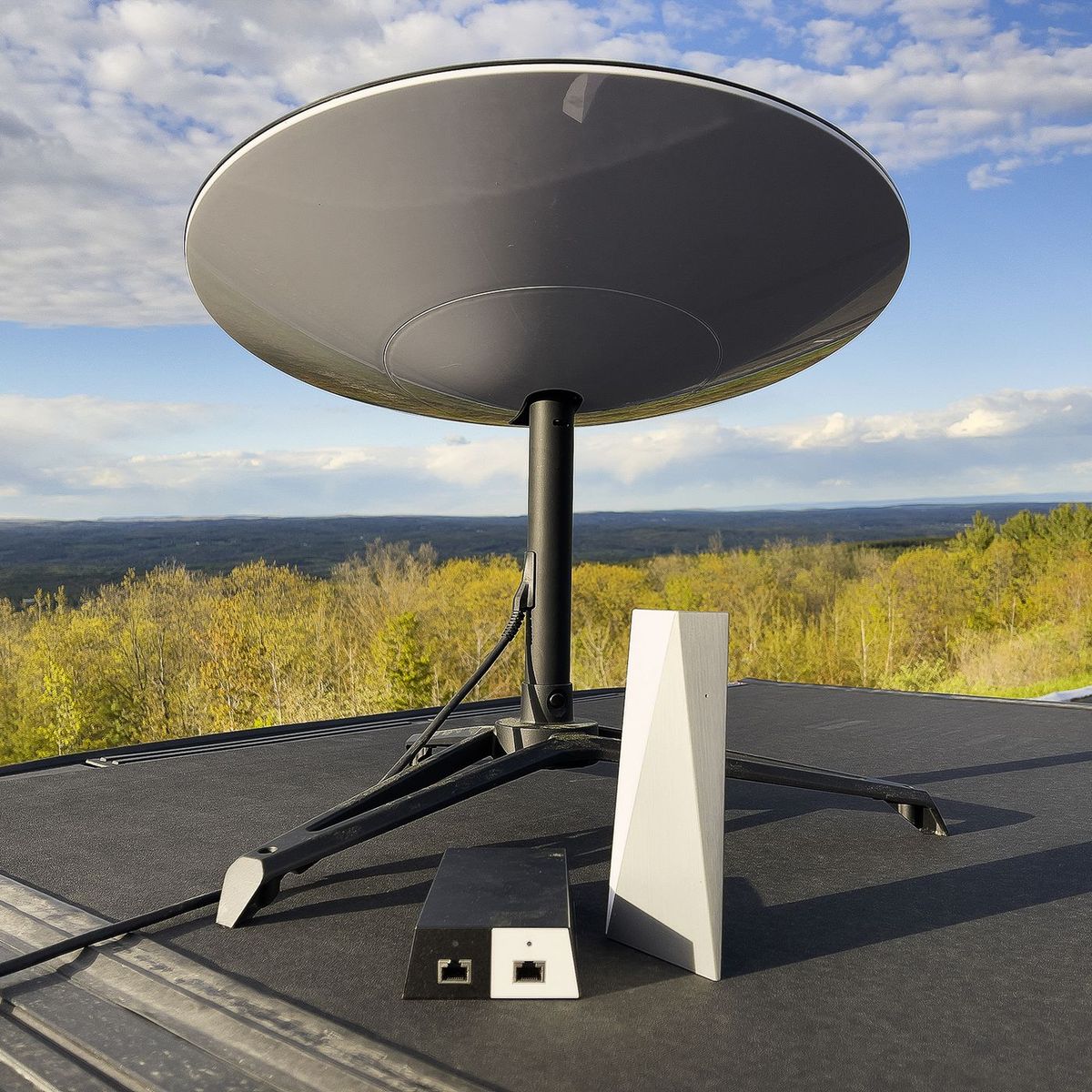
Inside the Flat High Performance kit, you will find the Starlink flat-panel satellite dish, designed for faster signal acquisition and enhanced reliability. The kit also includes a high-performance Wi-Fi router, power supply, and essential cabling to connect your system. Mounting accessories and a detailed installation guide are provided to help you position the dish for maximum signal strength and secure installation. Every element is intended to simplify the setup process while delivering the high-speed, low-latency internet experience that Starlink promises.
While the kit is user-friendly, professional installation by accredited Starlink installers in Nairobi can further optimize performance. Experts ensure precise dish alignment, secure mounting, and tidy cable management, minimizing potential connectivity issues. At Starlite Internet Kenya, we guide customers through the unboxing and installation process, helping them get the most out of their Starlink Flat High Performance kit. By understanding what comes in the box and how to set it up properly, users can enjoy a reliable and high-speed satellite internet connection tailored to their needs.
1. What Is Starlink Flat High Performance?
Starlink Flat High Performance is an advanced satellite internet solution designed to deliver faster, more reliable connectivity with priority bandwidth. This system is optimized for users in Kenya who require robust internet for professional, entertainment, and high-demand applications. At Starlite Internet Kenya, understanding the features of the Flat High Performance kit helps users select the most suitable Starlink solution for their home or business.
1.1 Starlink Flat High Performance is a satellite internet system optimized for faster speeds and priority bandwidth
Enhanced Internet Speeds The High Performance tier provides higher average download and upload speeds, ensuring smooth streaming, gaming, and cloud-based work.
Priority Bandwidth During periods of network congestion, Flat High Performance users receive prioritized access, reducing slowdowns and interruptions.
Reliable Connectivity This system is engineered to maintain stable, high-speed connections for demanding applications. Flat High Performance offers optimized speeds and priority access, delivering reliable internet even during peak usage times.
1.2 It is ideal for business users, live streamers, remote teams, and power users who demand robust connectivity
Business Applications Supports remote work, video conferencing, cloud operations, and collaboration tools for businesses.
Content Creators Live streamers and media professionals can upload high-resolution videos or stream events without interruption.
High-Demand Users Individuals or teams requiring continuous, high-quality connectivity benefit from consistent speeds and low latency. Flat High Performance is best suited for users with intensive internet needs, including businesses, creators, and remote teams.
1.3 The “Flat” designation refers to the streamlined, low-profile dish design used in this kit
Compact Design The low-profile dish is less obtrusive and easier to install in residential and commercial locations.
Durability Despite its compact form, it maintains Starlink’s performance standards, withstanding weather conditions such as rain, wind, and dust.
Aesthetic Advantage The streamlined design blends into roofs or other mounting locations without being visually disruptive. The “Flat” dish combines durability and performance with a compact, unobtrusive design suitable for various installation environments.
1.4 High Performance ensures priority access during congestion and more consistent throughput compared to standard packages
Network Efficiency Priority access ensures smoother connections even when the network is busy, reducing lag, buffering, or slowdowns.
Stable Throughput Users enjoy consistent download and upload speeds, which is crucial for gaming, streaming, and business applications.
Enhanced Reliability Compared to standard packages, Flat High Performance minimizes disruptions, providing a dependable internet experience. High Performance offers consistent throughput and prioritized access, ensuring reliable connectivity for demanding users.
Starlink Flat High Performance in Kenya combines a streamlined dish design with prioritized bandwidth and faster speeds, making it ideal for businesses, live streamers, remote teams, and power users. At Starlite Internet Kenya, we provide guidance on selecting and installing this solution to ensure optimal performance, consistent connectivity, and a reliable internet experience for both home and professional environments.
2. What Comes in the Box
When you purchase a Starlink Flat High Performance kit in Kenya, the package includes all essential components needed for a complete installation. Each item is designed to ensure reliable connectivity, ease of setup, and long-term durability. At Starlite Internet Kenya, we guide customers on how to use each component effectively to maximize performance.
2.1 Starlink Flat High Performance Dish
Satellite Antenna This is the main component that communicates with Starlink satellites to provide internet service.
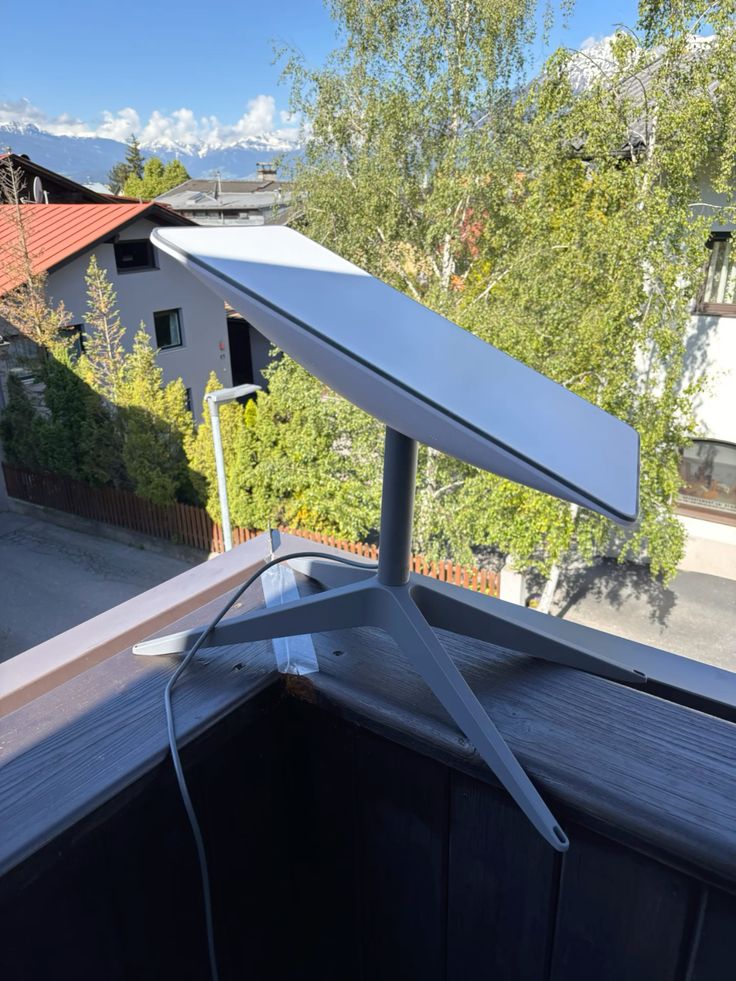
Flat, Compact Profile The low-profile design makes installation easier on rooftops, walls, or other mounting surfaces while maintaining strong performance.
Durable for Outdoor Conditions Engineered to withstand rain, wind, dust, and extreme weather, ensuring long-term reliability. The Flat High Performance dish is central to the system, providing robust satellite connectivity in a compact and durable design.
2.2 High-Performance Wi-Fi Router
Internet Distribution The router spreads the internet throughout your home, office, or commercial space.
Multiple Device Support It accommodates several devices simultaneously, maintaining stable and fast connectivity.
Easy Setup with Starlink App Users can quickly configure network settings and manage devices through the Starlink app. The High Performance router ensures strong, consistent Wi-Fi for all connected devices, making network management simple and reliable.
2.3 Mounting Hardware
Base or Stand A base or tripod allows secure placement on flat surfaces for optimal dish alignment.
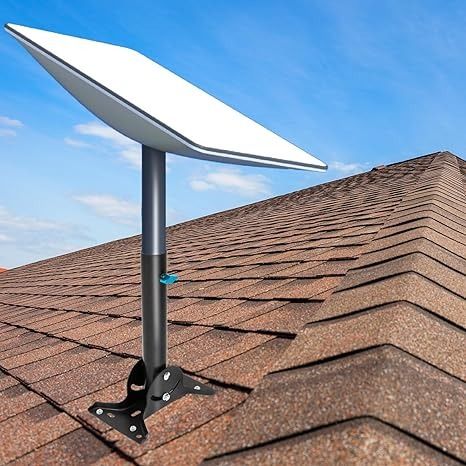
Optional Rooftop or Wall Bracket Basic mounting brackets are included for users who prefer rooftop or wall installations.
Screws and Fixtures All necessary screws, bolts, and fixtures are provided to securely attach the dish and mount. Mounting hardware enables stable, flexible installation options, keeping the dish secure and properly aligned.
2.4 Weather-Resistant Cables
Dish-to-Router Connection The kit includes a long cable that links the dish to the router, supporting stable data transmission.
Power Adapter and Supply Unit All necessary power components are included to run both the dish and router.
Cable Protection Weather-resistant design protects cables from rain, sun, and environmental wear when routed outdoors. Cables and power supplies ensure reliable connectivity while withstanding outdoor conditions.
2.5 Quick Start Guide and Documentation
Hardware Assembly Instructions Step-by-step guidance helps users assemble and mount the dish and router.
Safety Guidelines Instructions include safe handling practices for outdoor installation and electrical components.
Tips for Optimal Placement Provides recommendations for dish positioning and alignment to maximize signal strength and internet performance. The Quick Start Guide helps users set up the system safely and efficiently, ensuring optimal performance from the start.
The Starlink Flat High Performance kit in Kenya comes complete with a durable dish, a High Performance router, mounting hardware, weather-resistant cables, and detailed documentation. Each component is designed to provide reliable, high-speed satellite internet with easy setup and long-term performance. At Starlite Internet Kenya, we assist users in understanding and deploying all kit components to achieve the best possible connectivity experience for homes, businesses, and high-demand applications.
3. Inspecting the Components
Before starting your Starlink Flat High Performance installation in Kenya, it’s important to inspect all components. Proper inspection ensures that everything is present, in good condition, and ready for a smooth setup. At Starlite Internet Kenya, we emphasize careful checks to prevent installation issues and maximize system performance.
3.1 Verify that all parts are included and undamaged
Complete Kit Check Ensure that the dish, router, mounting hardware, cables, power supply, and documentation are all present in the package.
Damage Inspection Look for signs of damage from shipping, such as broken parts, missing screws, or cracked components. Verifying all parts prevents delays during installation and ensures you have everything needed for a successful setup.
3.2 Check the dish surface for any scratches or dents
Dish Condition Examine the satellite dish carefully for physical imperfections that could affect signal reception or alignment.
Impact on Performance Even minor scratches or dents can interfere with optimal connectivity, so it’s crucial to ensure the dish is in perfect condition. Inspecting the dish surface guarantees reliable satellite reception and long-term performance.
3.3 Ensure cables and connectors are intact
Cable Integrity Check all cables for cuts, frays, or exposed wires.
Connector Condition Verify that plugs and connectors are not bent or damaged, as this can cause connection issues. Ensuring cable and connector integrity prevents connectivity problems and signal loss during setup.
3.4 Review documentation for any specific notes or installation tips
Instruction Familiarity Read the Quick Start Guide and any supplementary documentation for key setup instructions.
Special Considerations Look for tips on optimal dish placement, alignment, and safety precautions. Reviewing the documentation prepares you for a safe and efficient installation, reducing the risk of errors.
Inspecting all components of the Starlink Flat High Performance kit before installation is essential for a smooth and reliable setup. By verifying parts, checking the dish and cables, and reviewing the documentation, users in Kenya can prevent issues and ensure optimal performance. At Starlite Internet Kenya, we guide customers through thorough inspection practices to guarantee that each installation starts off correctly and delivers consistent, high-speed connectivity.
4. Setting Up the Starlink Flat High Performance Kit
Setting up your Starlink Flat High Performance kit in Kenya involves careful planning and execution to ensure optimal connectivity. Each step, from selecting the right location to activating the network through the Starlink app, contributes to a reliable, high-speed internet experience. At Starlite Internet Kenya, we provide guidance to make this setup process smooth and efficient.
4.1 Choose an Open Location — Select a spot with a clear view of the sky for the dish
Optimal Placement The dish requires an unobstructed line of sight to the sky to communicate effectively with Starlink satellites. Avoid areas blocked by trees, buildings, or other structures.
Performance Impact A clear location minimizes signal interference and maximizes speed and stability. Choosing an open location is critical for reliable satellite reception and consistent internet performance.
4.2 Mount Your Dish — Use the base or mounting hardware to secure the dish
Secure Installation Whether using a flat surface base, rooftop, or wall mount, ensure the dish is firmly attached to prevent movement or misalignment.
Durability Considerations Proper mounting protects the dish from wind, rain, and other environmental factors, maintaining long-term performance. Secure mounting guarantees stability, preventing signal loss and optimizing connectivity.
4.3 Connect Cables — Plug the outdoor cable into the dish and connect it to the router
Cable Connection Attach the provided outdoor cable from the dish to the router, ensuring connectors are properly seated.
Cable Management Route cables neatly and safely to prevent damage and maintain a clean installation. Correct cable connection ensures uninterrupted data transmission between the dish and router.
4.4 Power On the System — Connect the power supply and turn on the router
System Activation Plug in the power supply for both the dish and router, then switch on the devices.
Initial Checks Verify that LEDs or indicators show proper operation and readiness for network setup. Powering on the system is the first step in bringing the Starlink network online for your location.
4.5 Use the Starlink App — Follow the app’s guided steps to activate and configure your network
App-Guided Setup The Starlink app walks users through network activation, Wi-Fi configuration, and basic troubleshooting.
Network Management Users can monitor speeds, connected devices, and signal quality, making adjustments as needed. The Starlink app simplifies activation and ensures your network is correctly configured for optimal performance.
Setting up the Starlink Flat High Performance kit in Kenya is straightforward when following each step carefully. Selecting an open location, securely mounting the dish, connecting cables, powering the system, and using the Starlink app all contribute to reliable, high-speed internet. At Starlite Internet Kenya, we assist customers in every stage of the setup to ensure their Starlink system delivers optimal connectivity, whether for homes, businesses, or high-demand applications.
5. Tips for a Smooth Setup
Proper setup of your Starlink Flat High Performance kit in Kenya ensures optimal connectivity, stable speeds, and long-term reliability. Following best practices during installation minimizes potential issues and helps you get the most out of your Starlink system. At Starlite Internet Kenya, we share practical tips to make the setup seamless and efficient.
5.1 Position the dish where it has unobstructed sky visibility
Optimal Placement Select a location free from trees, buildings, or other obstacles that could block the dish’s view of the sky.
Impact on Performance Unobstructed placement maximizes signal strength, reduces latency, and ensures consistent internet speeds. Clear sky visibility is key to strong, reliable satellite connectivity.
5.2 Keep cables neat and protected from weather or accidental damage
Cable Management Route cables carefully to avoid tangling, pinching, or stretching.
Weather Protection Ensure outdoor cables are shielded from sun, rain, and potential physical damage to maintain long-term performance. Well-protected and organized cabling prevents signal loss and prolongs the system’s durability.
5.3 Place the router in a central location for even Wi-Fi coverage
Centralized Positioning Locate the router in a central spot within your home or office to distribute Wi-Fi evenly.
Enhanced Connectivity This placement ensures all devices receive strong, stable signals and reduces dead zones. A centrally placed router maximizes coverage and improves overall network performance.
5.4 Use the app to test signal strength and internet performance
Monitoring Tools The Starlink app allows users to measure signal quality, check connection speeds, and monitor connected devices.
Troubleshooting and Optimization Use the app to adjust dish placement or router settings if performance issues are detected. The Starlink app is an essential tool to verify setup and ensure the system delivers optimal internet performance.
Following these tips ensures a smooth and efficient setup of your Starlink Flat High Performance kit in Kenya. By positioning the dish correctly, protecting cables, placing the router centrally, and using the Starlink app for testing, users can achieve reliable, high-speed connectivity. At Starlite Internet Kenya, we provide guidance throughout the installation process to ensure your Starlink system operates at peak performance for homes, businesses, and high-demand users.
6. Safety and Maintenance
Maintaining your Starlink Flat High Performance kit in Kenya is essential for long-term performance and safety. Regular checks, proper handling, and preventive care help avoid connectivity issues and extend the life of your equipment. At Starlite Internet Kenya, we provide guidance on best practices to keep your Starlink system secure and operating efficiently.
6.1 Ensure stable mounting to prevent movement during strong winds
Secure Installation Verify that the dish is firmly attached to its base or mount to withstand strong winds or environmental stress.
Performance Impact A stable dish prevents misalignment, signal loss, or interruptions in connectivity. Stable mounting ensures continuous, reliable performance even in adverse weather conditions.
6.2 Avoid sharp bends or kinks in outdoor cables
Cable Care When routing cables, avoid tight bends, twists, or pinching that can damage the wires inside.
Longevity and Reliability Proper cable handling prevents signal loss, electrical shorts, and early wear. Maintaining smooth cable runs preserves connectivity and extends the lifespan of your system.
6.3 Clean the dish surface periodically to prevent debris buildup
Regular Cleaning Remove dust, leaves, bird droppings, or snow from the dish surface as needed.
Impact on Signal A clean dish maintains optimal signal reception, preventing degradation of internet speed or stability. Routine cleaning keeps the dish functioning efficiently and ensures reliable connectivity.
6.4 Check connections regularly to ensure consistent performance
Inspection Routine Examine connectors, plugs, and cable junctions to confirm they remain secure and free of corrosion or damage.
Preventive Action Early detection of loose or damaged connections avoids unexpected downtime and performance issues. Regular connection checks maintain stable, high-speed internet and prevent avoidable disruptions.
Safety and maintenance practices are key to ensuring your Starlink Flat High Performance kit in Kenya continues to deliver reliable internet. By securing mounts, managing cables carefully, cleaning the dish, and regularly checking connections, users can protect their equipment and optimize performance. At Starlite Internet Kenya, we provide expert advice and support to help customers maintain their Starlink systems for consistent, high-quality connectivity in homes, offices, and demanding environments.
7. FAQs on Unboxing and Setup
Understanding the unboxing and setup process for the Starlink Flat High Performance kit in Kenya helps ensure a smooth installation and optimal performance. These FAQs address common questions about the dish, installation, activation, and usage. At Starlite Internet Kenya, we provide guidance to help users get started confidently.
7.1 What’s the difference between the flat and standard dish?
Design Profile The flat dish has a lower profile, making it easier to install in tight spaces such as apartments or buildings with limited rooftop area.
Performance Despite its compact design, it delivers the same high-performance connectivity and durability as standard dishes. The flat dish is more streamlined for installation convenience while maintaining reliable performance.
7.2 Is professional installation required?
DIY vs Professional DIY installation is possible, but professional installers ensure optimal dish alignment, cable management, and network setup.
Benefit of Experts Professional installation reduces errors and maximizes performance, especially for high-demand users or complex mounting locations. Professional installation is recommended but not mandatory.
7.3 How long does setup take?
Typical Duration Unboxing and setting up the kit usually takes 30–60 minutes, depending on mounting complexity and location.
Factors Affecting Time Roof installations, wall mounts, or longer cable routing may extend setup time. Setup is generally quick, with most users ready to go within an hour.
7.4 Can I mount the dish on the roof?
Roof Installation Yes, the dish can be installed on rooftops using the provided or optional mounting hardware.
Safety Considerations Proper mounting and safety precautions are essential to ensure stability and prevent accidents. Roof installation is feasible with secure mounting and adherence to safety practices.
7.5 Do I need tools for setup?
Basic Tools A drill, screwdriver, and possibly a wrench help ensure secure mounting of the dish and base.
Ease of Installation Most components are designed for simple assembly, but tools make the process faster and more secure. Basic household tools are sufficient for installation.
7.6 How do I activate the service?
App-Guided Activation Use the Starlink app to activate the service, configure Wi-Fi, and check connection quality.
Step-by-Step Guidance The app provides instructions for aligning the dish and optimizing network settings. The Starlink app is the central tool for activation and setup.
7.7 Can multiple devices connect to the router?
Device Support Yes, the High Performance router supports multiple devices simultaneously, including phones, computers, and smart home devices.
Stable Connectivity Even with several devices connected, users can expect consistent speeds and performance. The router efficiently handles multiple connected devices without compromising speed.
7.8 Does the kit include a warranty?
Manufacturer Warranty Starlink kits usually come with a warranty covering defects or component failure.
Check Documentation Always review your included documentation for specific warranty terms and coverage. A warranty is provided to protect users against manufacturing defects.
7.9 What if a component is missing?
Immediate Action Contact your supplier or authorized installer immediately to request a replacement component.
Ensuring Completion Replacing missing parts ensures your installation can proceed smoothly without performance issues. Report missing components promptly to maintain a complete and functional kit.
7.10 Is there a limit to user data?
High Performance Plans While the plan prioritizes bandwidth during congestion, typical usage allowances are generally flexible.
Subscription Details Exact limits and policies depend on your specific subscription tier. High Performance optimizes bandwidth, but check your subscription for any specific data considerations.
The FAQs on unboxing and setup help Starlink users in Kenya understand the kit, installation process, and key operational tips. From dish type and mounting options to app activation and router usage, following these guidelines ensures a smooth start with your Starlink Flat High Performance system. At Starlite Internet Kenya, we support users throughout the unboxing and setup process to ensure optimal performance, stable connectivity, and a seamless internet experience.
Unbox Starlink High Performance in Kenya – Maximize Your Connectivity
Unboxing your Starlink Flat High Performance kit marks the beginning of a seamless satellite internet experience in Kenya. The kit comes complete with everything you need: the high-performance dish, router, mounting hardware, and clear documentation. Each component is designed to work together, delivering fast, stable, and reliable internet for your home or business. Understanding the contents of your kit ensures you can plan your setup for optimal performance.
Proper setup is key to unlocking the full potential of your Starlink system. Clear line-of-sight placement for the dish, careful mounting, and configuration via the Starlink app all contribute to consistent connectivity and maximum speeds. While the kit is user-friendly, working with accredited Starlink installers in Nairobi ensures precise alignment and expert handling, reducing installation time and minimizing common setup challenges.
Take the guesswork out of installation and enjoy the full power of your Starlink High Performance kit by contacting certified installers throughStarLite Internet Kenya. With professional guidance, you can confidently set up your system, optimize each component, and enjoy uninterrupted high-speed internet that keeps your household or business fully connected in Kenya’s growing digital landscape.